Features
Everything Included Click any tab to explore the full app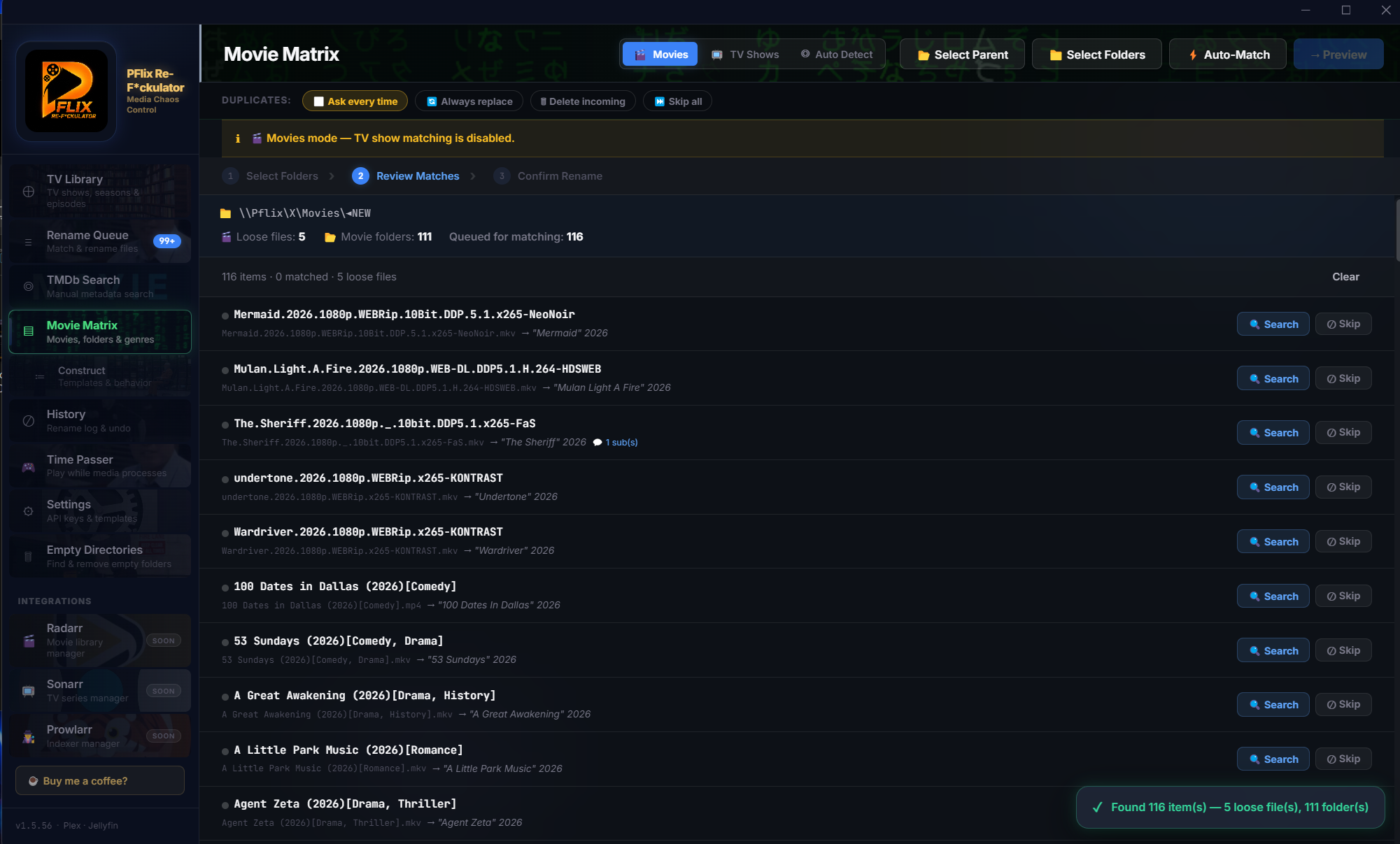

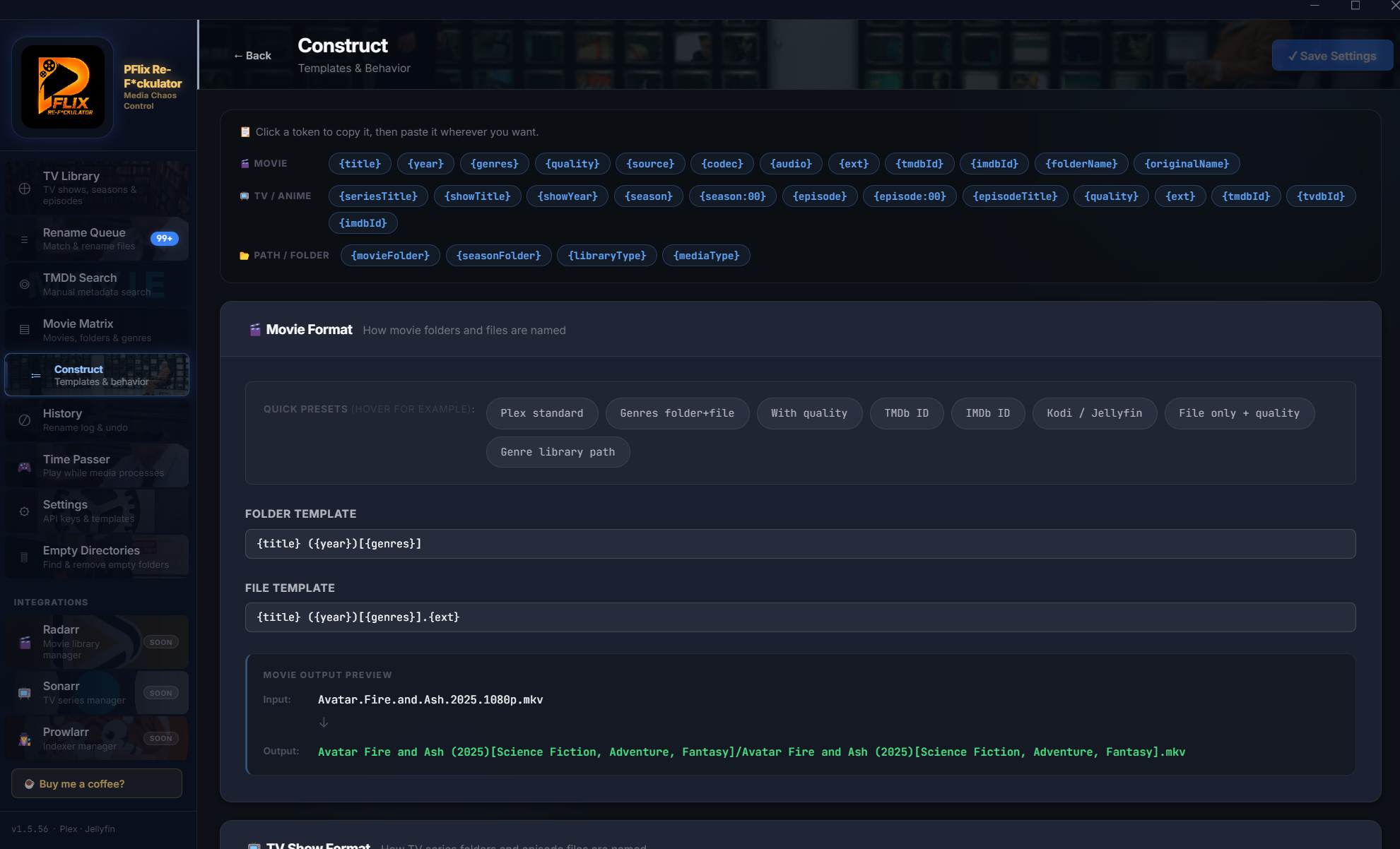
🎬 Movie Matrix
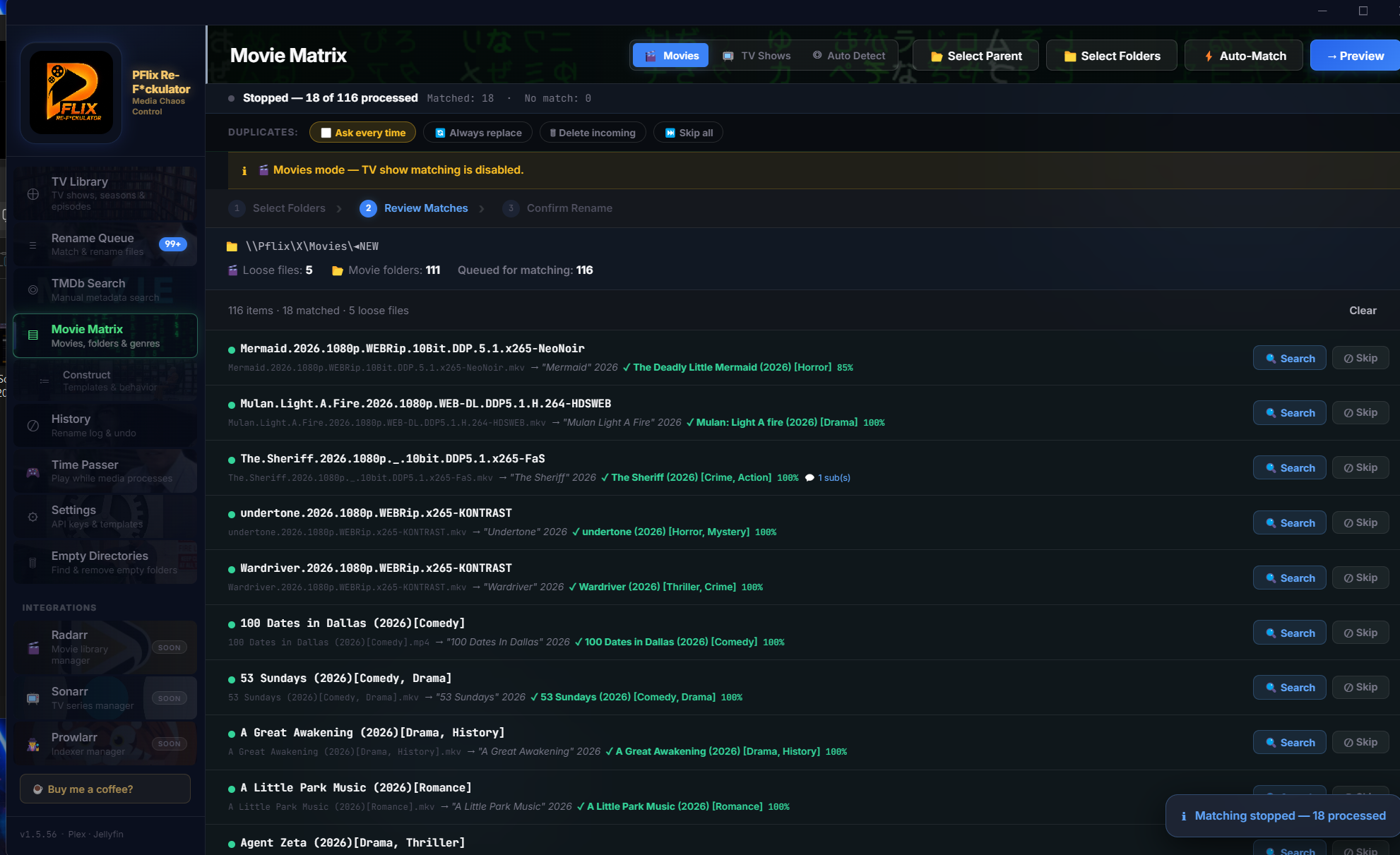
The heart of PFlix. Point it at any folder full of movies, and Movie Matrix scans every file, matches against TMDb, and generates perfect rename previews — before touching anything.
- TMDb-powered matching with year detection
- Confidence scoring — know when a match is solid
- Duplicate file detection and flagging
- Subtitle-aware renames (.srt, .sub stay linked)
- Recursive folder scan with configurable depth
- Filter: All / Matched / Unmatched / Duplicates
- Performance mode for large collections
- Manual match override for edge cases
📺 TV Library
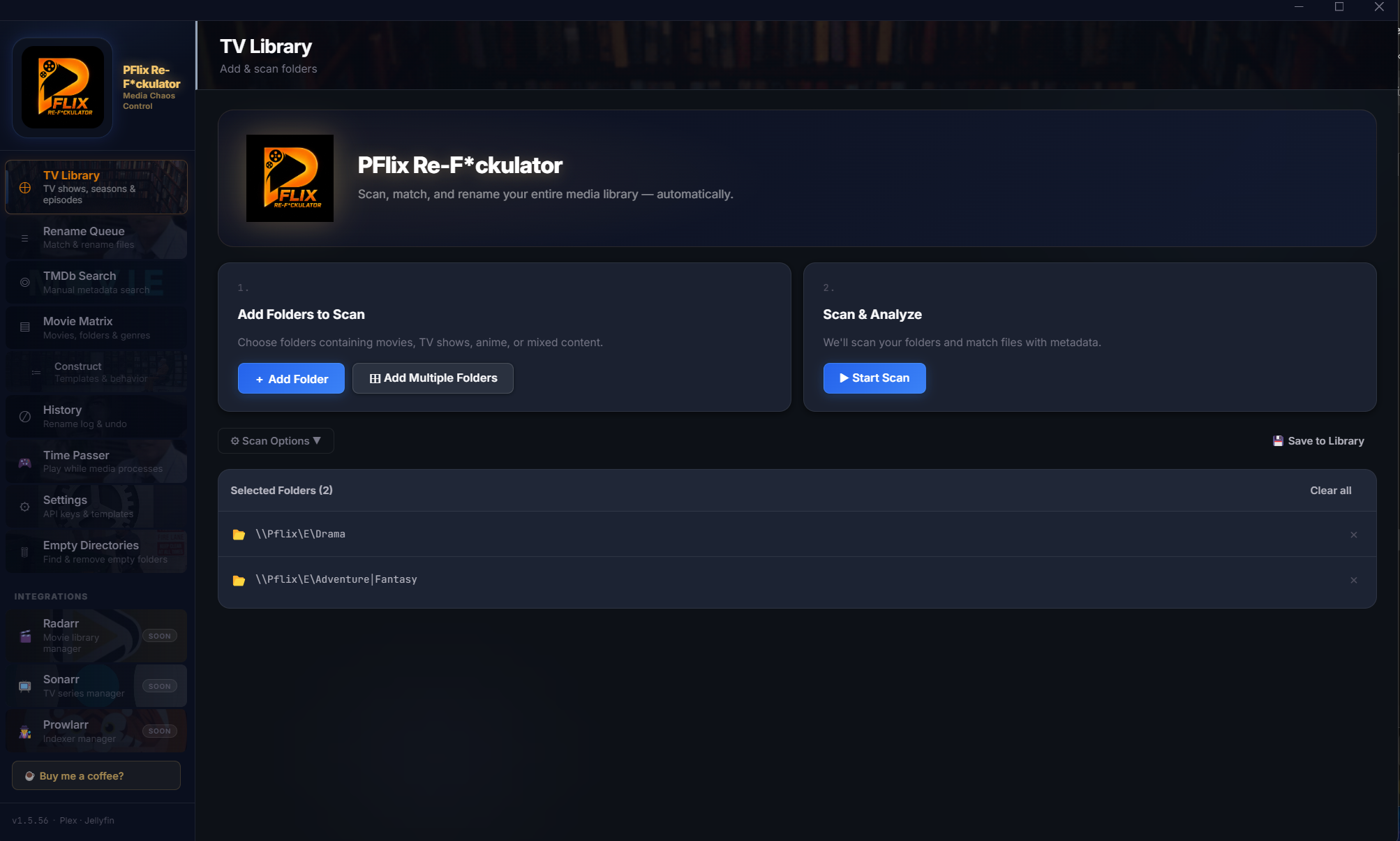
Scan any TV show folder, match episodes against TMDb, and rename them to perfect Plex-standard naming. Season and episode numbers detected automatically — no guesswork.
- Add multiple folders in one scan batch
- Auto-match episodes with TMDb episode data
- Preview renames before any file is touched
- Save matched library to persistent index
- Filter: All / Matched / Unmatched
- Handle multi-season and special episode folders
- Works offline once matched and saved
📋 Rename Queue
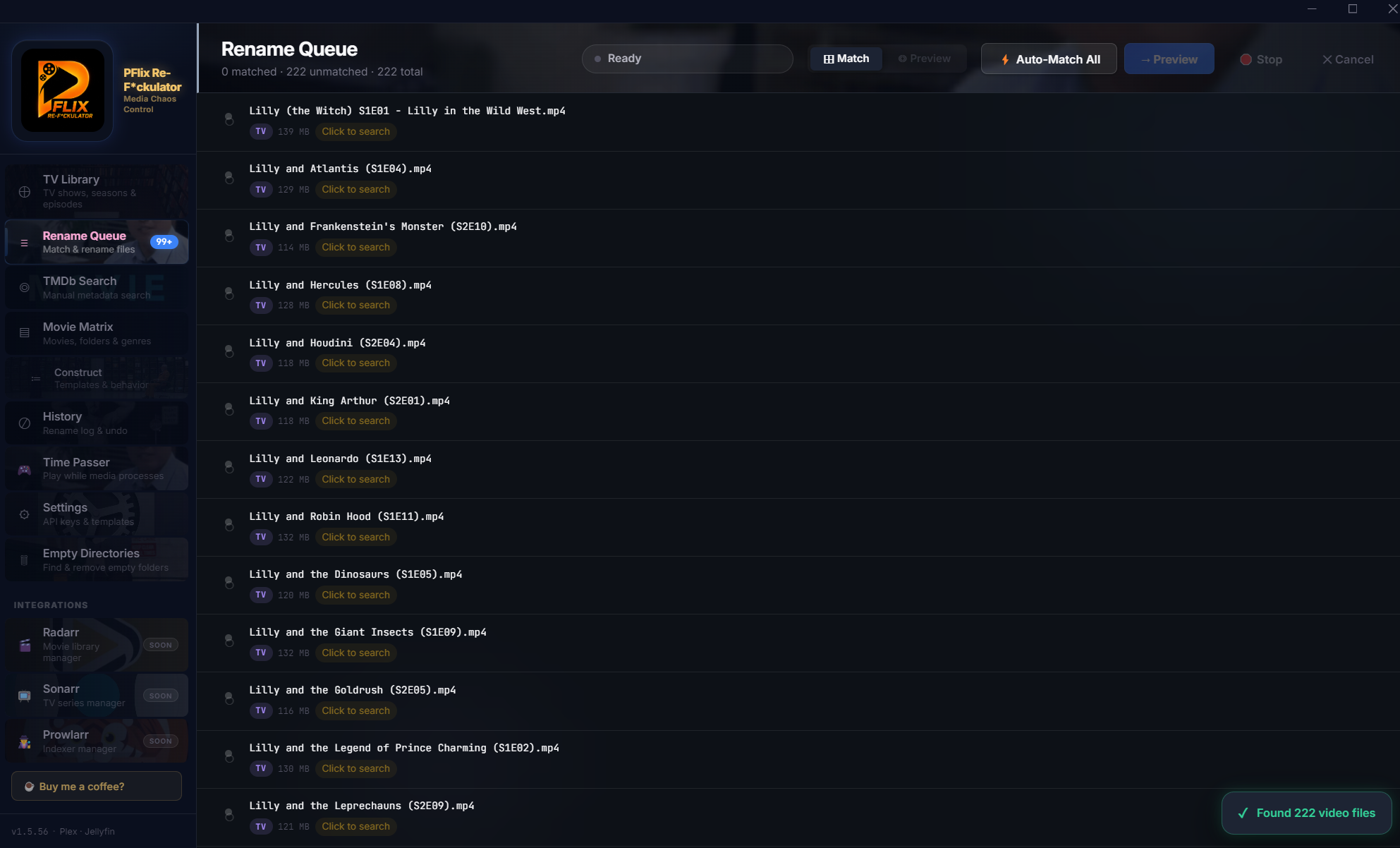
Nothing renames without your approval. Every suggested rename lands in the Queue, where you review it, accept it, or skip it. Full history. Full control.
- Before → After preview for every file
- Approve individual renames or entire batches
- Skip specific files without losing the rest
- Full history log of all completed renames
- Stored in local SQLite — persists between sessions
- Search and filter rename history
- Cancel in-progress queue without partial damage
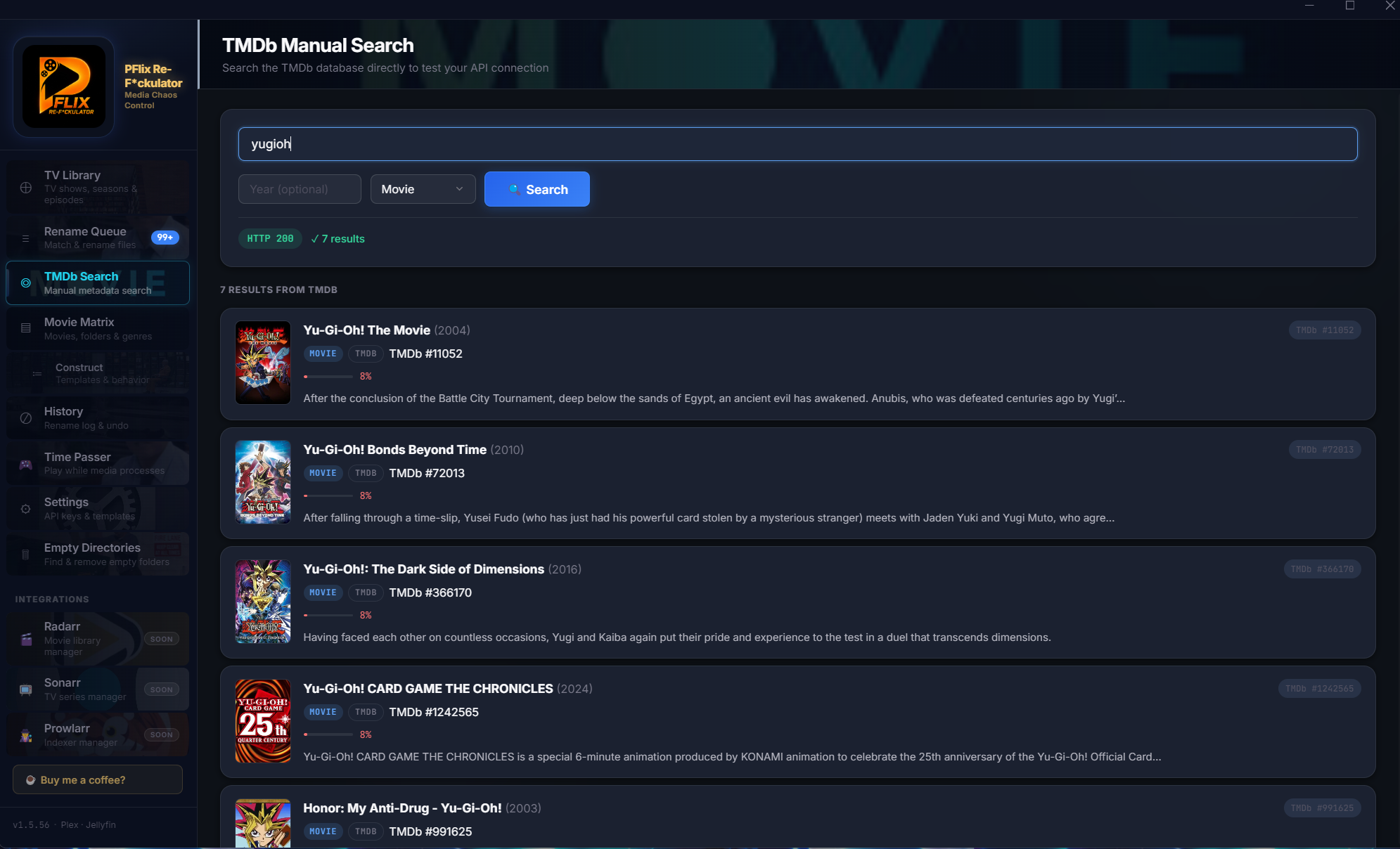
🔎 TMDb Search
When auto-matching misses something, TMDb Search puts you in direct control. Look up any movie or show by title, pick the right result, and push the correct metadata straight into your rename queue.
- Search movies and TV shows by title or year
- View full TMDb result cards with poster and overview
- Override auto-matched results manually
- Search in both movie and TV modes
- Supports TMDb Bearer Token and legacy API key
- Results load fast — Bearer Token preferred
🔤 Subtitles & OpenSubtitles
PFlix keeps your subtitles in perfect sync with your media — and can fetch brand-new ones automatically. Connect your OpenSubtitles account once, and PFlix will find and download matching subtitle files for any movie or show you rename.
- Subtitle-aware renames — .srt, .sub, .ass renamed in sync with the video file
- OpenSubtitles integration — auto-fetch subtitles by title, year, and language
- Downloaded .srt files are named to match the video so Plex picks them up automatically
- Preferred language setting — fetch English, French, Spanish, or any supported language
- Subtitles never get orphaned after a rename — they always follow the video
- Free OpenSubtitles account required — sign up at opensubtitles.com
How it works: Once your OpenSubtitles username, password, and API key are entered in Settings, PFlix automatically searches for subtitles when you match media. Matching subtitle files are downloaded right next to your video file — no hunting, no manual downloads.
.srt, .sub, .ass) alongside video files during scan.srt is saved next to the video, named to match — Plex detects it instantly📡 Sonarr · Radarr · Prowlarr
Your full *arr stack, embedded. No browser tabs needed.
Sonarr
Full TV library browser with series artwork. Episode-level detail, missing episode search, wanted episode management, and queue monitoring — all without opening Sonarr.
Radarr
Full movie library. Filter by status (downloaded / monitored / missing). Trigger individual or bulk movie searches. Stats per movie: size, quality, file status.
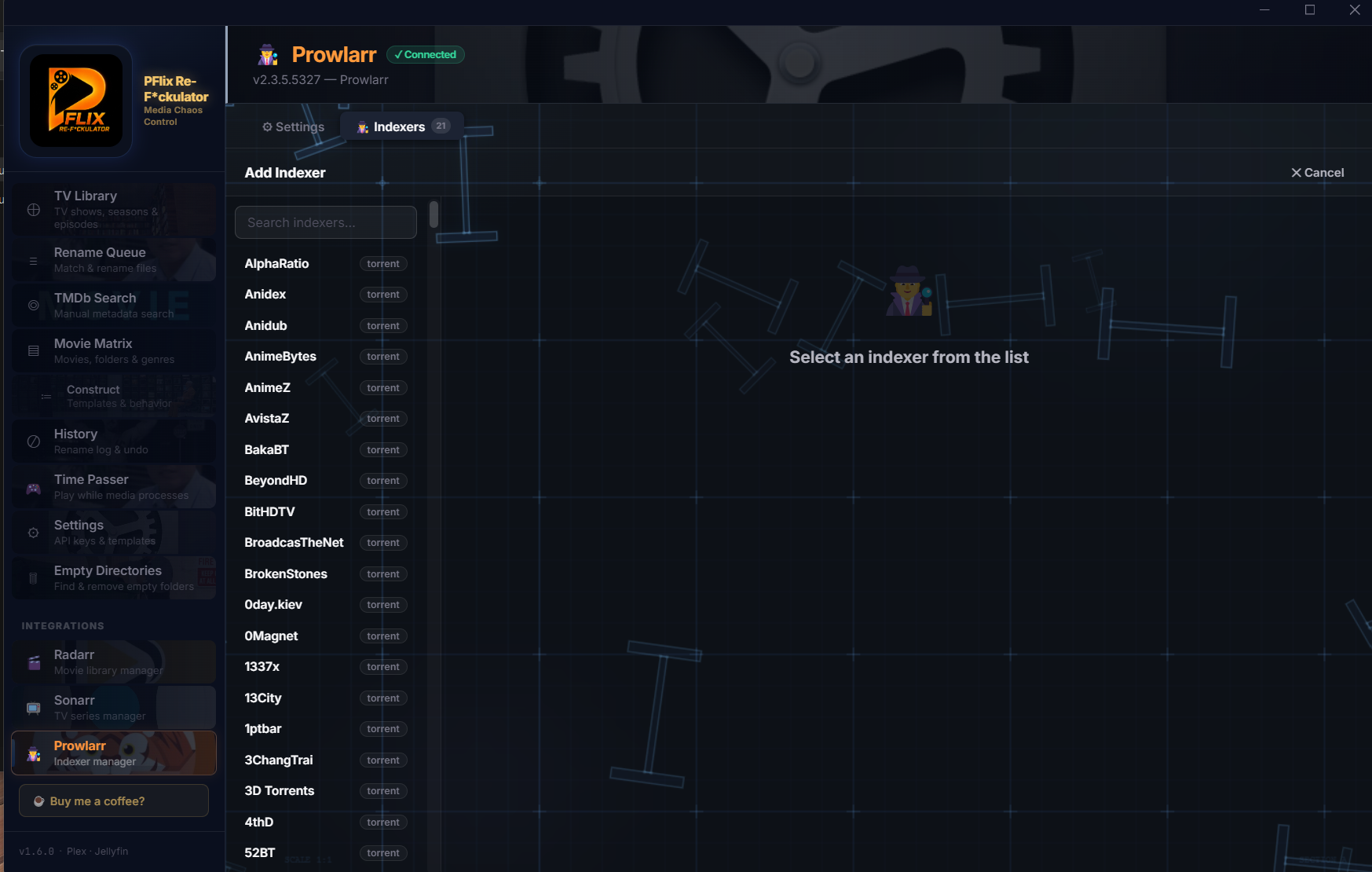
Prowlarr
Indexer management panel. View, configure, and add new indexers without opening Prowlarr's UI. Schema-based add form with all standard fields.
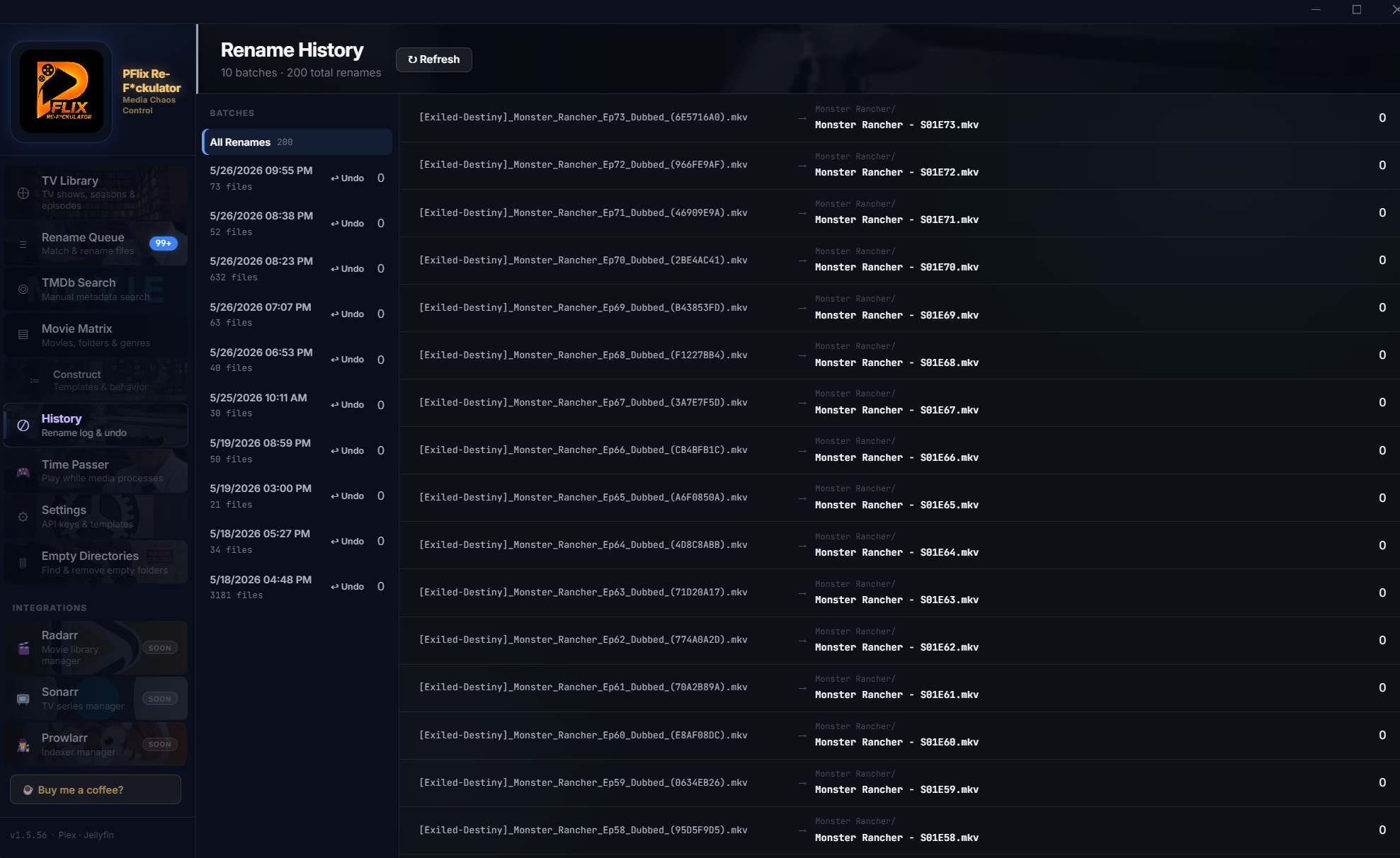
⏱ History & Undo
Every rename is logged forever. Browse the full history of what was renamed, when, and from where. Made a mistake? Undo an entire batch in one click — files go back exactly where they came from.
- Persistent SQLite log — survives restarts
- Per-batch undo — reverse entire operations instantly
- Search history by filename or date
- See original path and renamed path side-by-side
- Batch grouping so related renames stay together
- Clear old history when you're done with it
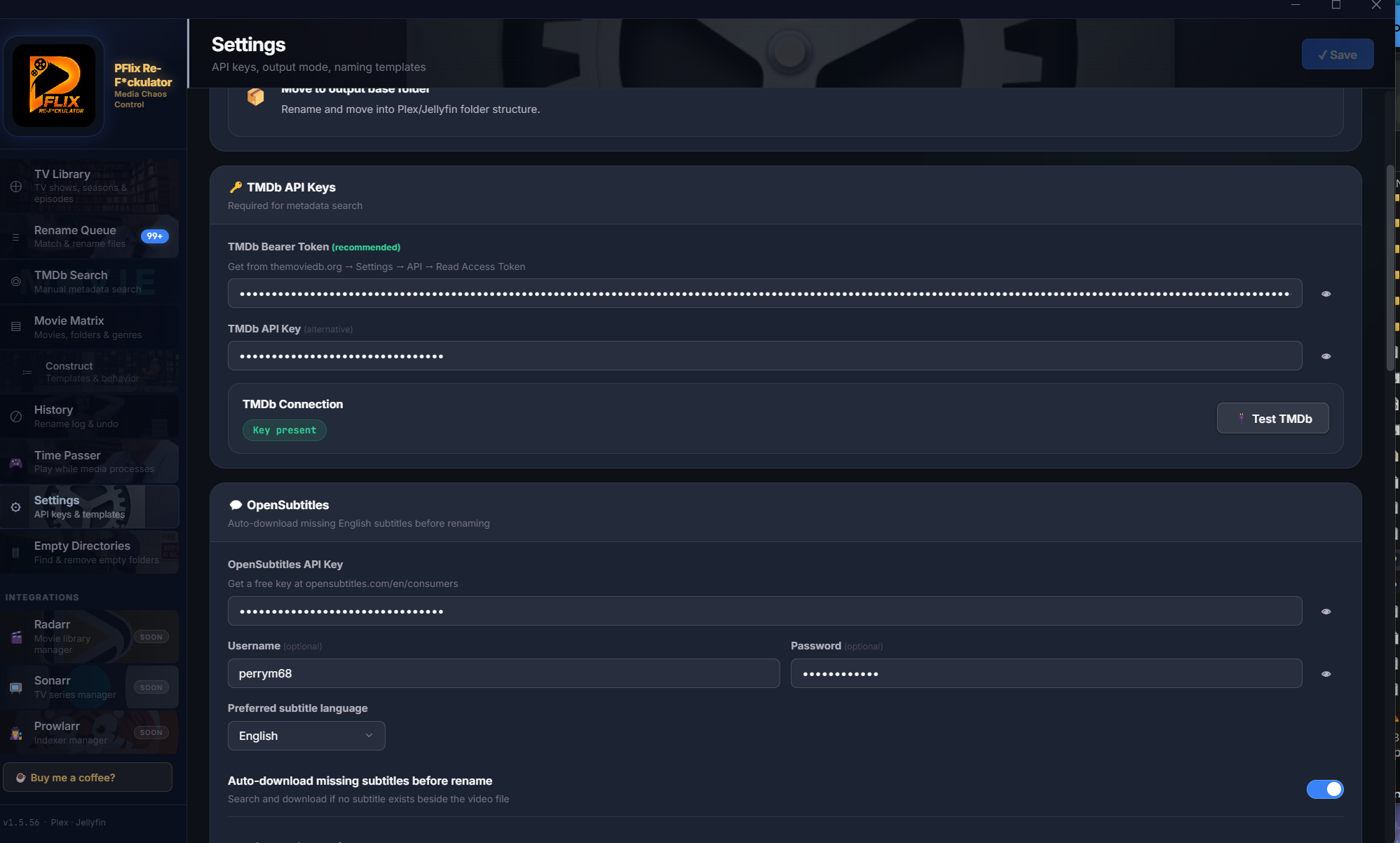
⚙ Settings & Construct
Configure TMDb, OpenSubtitles, naming templates, and app behavior. The Construct panel gives you fine control over how Movie Matrix formats folder names — genres, year, custom brackets, all configurable.
- TMDb Bearer Token + legacy API key support
- OpenSubtitles integration for auto-subtitle download
- Rename template builder with live preview
- Movie Matrix folder format: year, genre, custom tags
- Performance tuning: concurrency and rate limits
- All settings stored locally — never transmitted
More tools. More control.
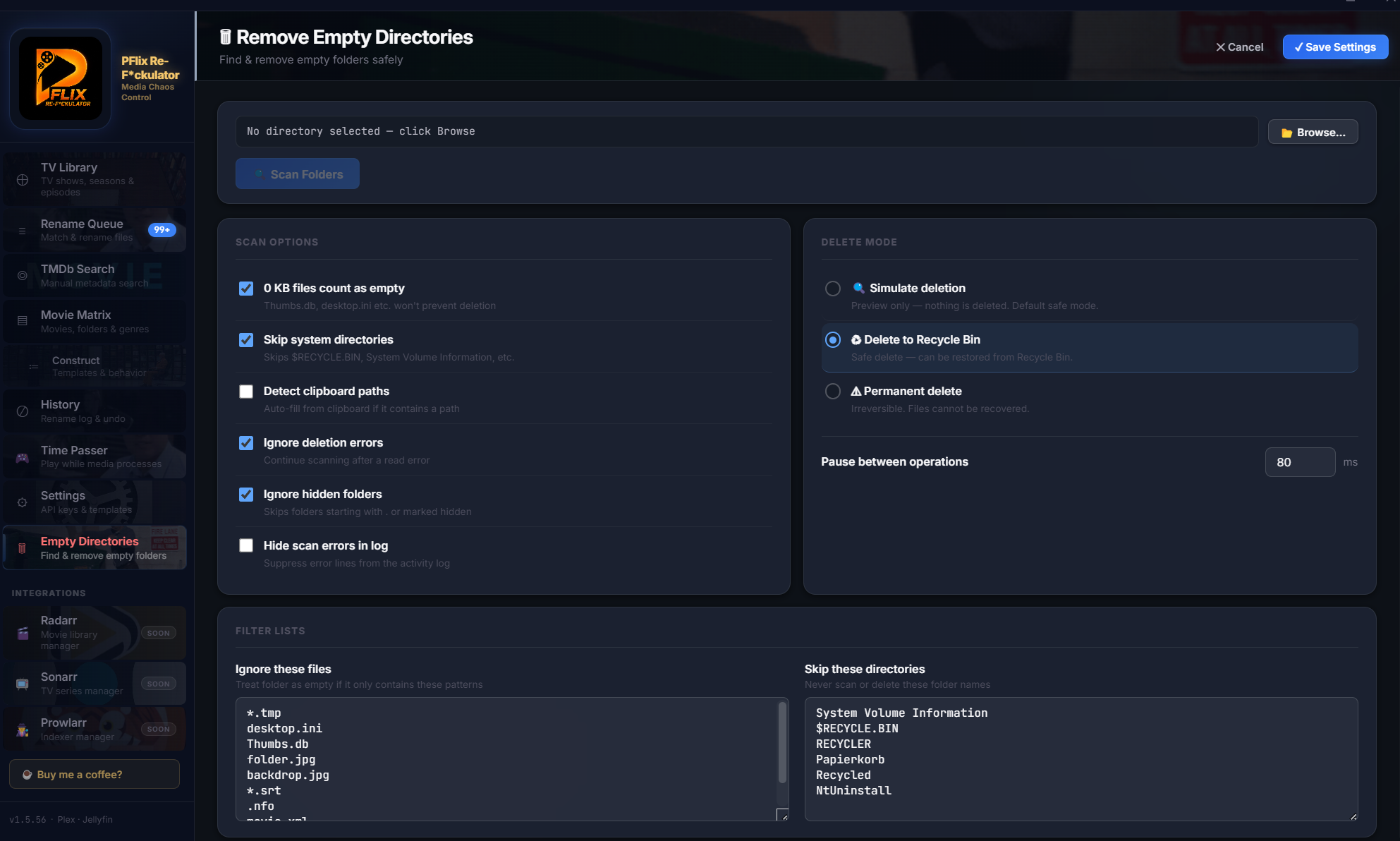
Empty Directory Cleanup
After renames and moves, dead empty folders accumulate. PFlix finds them all and removes them — keeping your folder structure as clean as your filenames.
Subtitle Awareness
Detects .srt, .sub, and other subtitle formats alongside video files and renames them in sync — so your subtitles never get orphaned after a rename.
Performance Controls
Configure scan concurrency, TMDb request rate, and UI update intervals. Run smooth on 5,000-file libraries or massive 50,000+ collections.
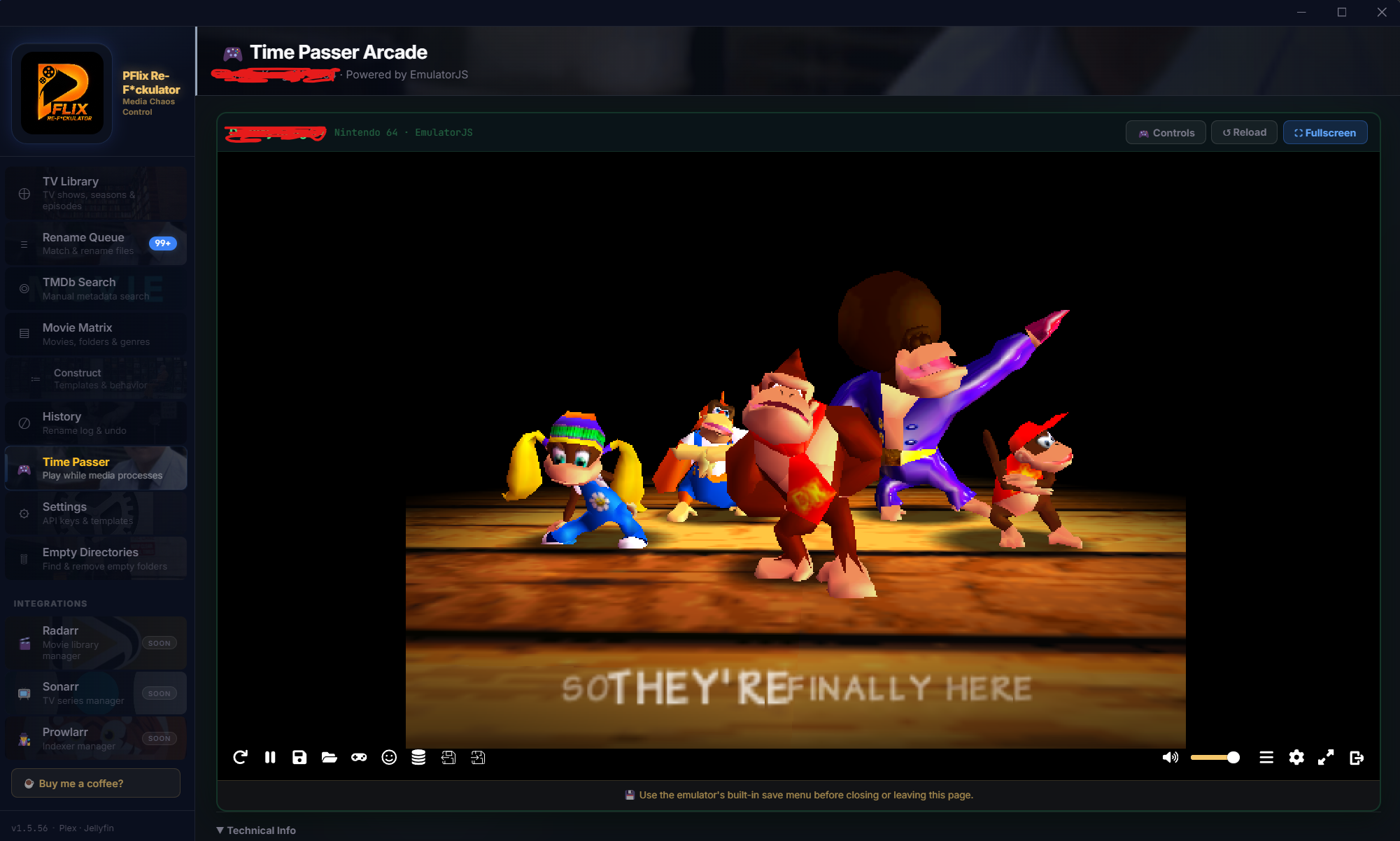
Time Passer Arcade
Scanning a massive library takes time. Kill it with a built-in retro arcade emulator. Persistent state — navigate away and come back, it picks up exactly where you left off.
Safe by Default
PFlix never touches your files without explicit approval. Every rename is previewed. Every action is logged. Nothing irreversible happens automatically.
Privacy First
PFlix doesn't phone home. No telemetry, no analytics, no accounts. Your library data and API keys stay on your machine — period.
Ready to fix your library?
Free. No account. No subscription. Just download and run.
Download Free — v1.6.3